
Require Workers to click specific link
This example describes how to create a Task requiring Workers to click on the url provided before submitting a Task.
This feature is helpful when you want to at least guarantee the link was clicked and prevent the situation when Workers weren’t going to the page, but rather answering questions without clicking the link.
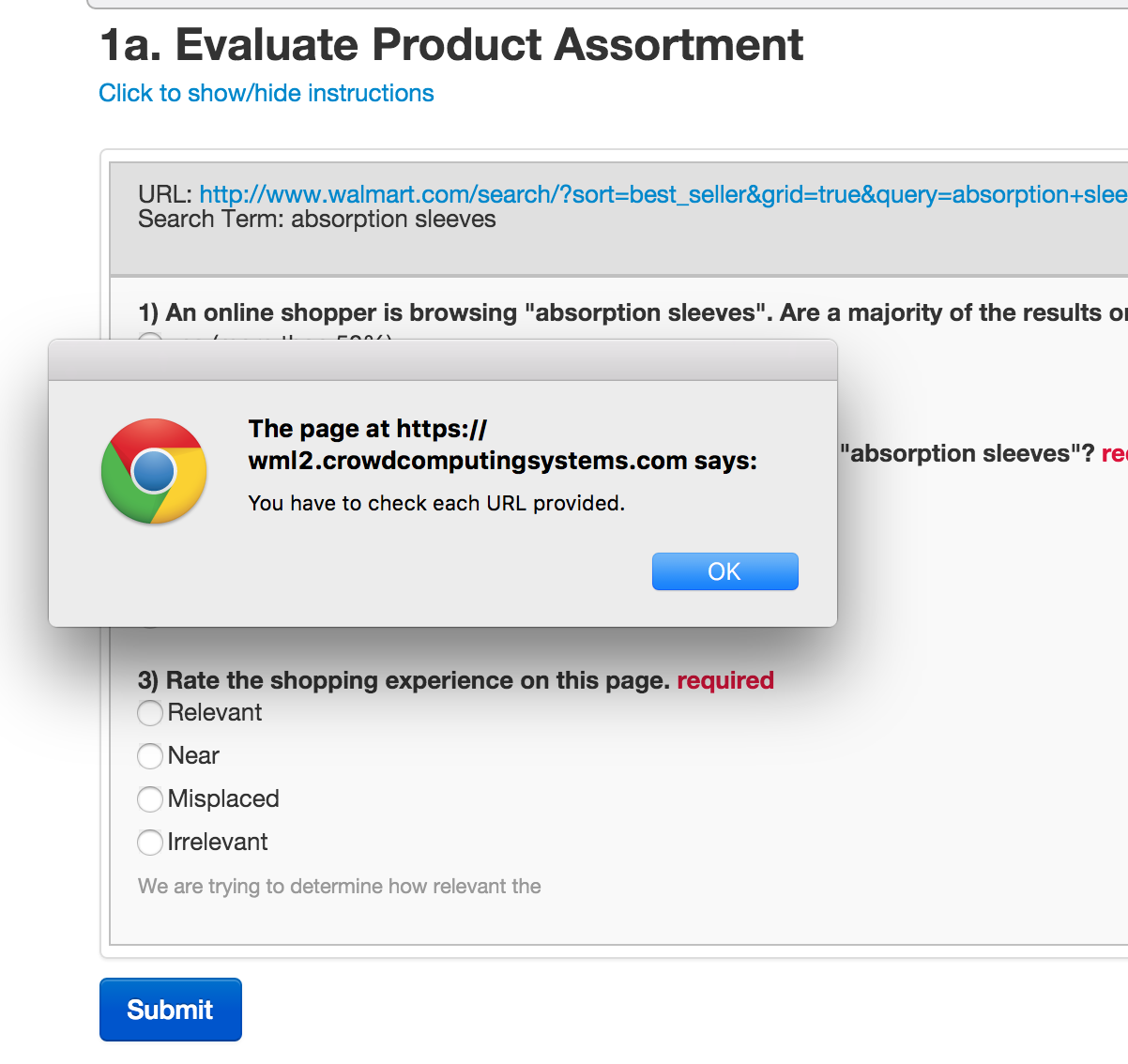
We want the following message appear, if a Worker clicks the Submit button without checking the target URL:
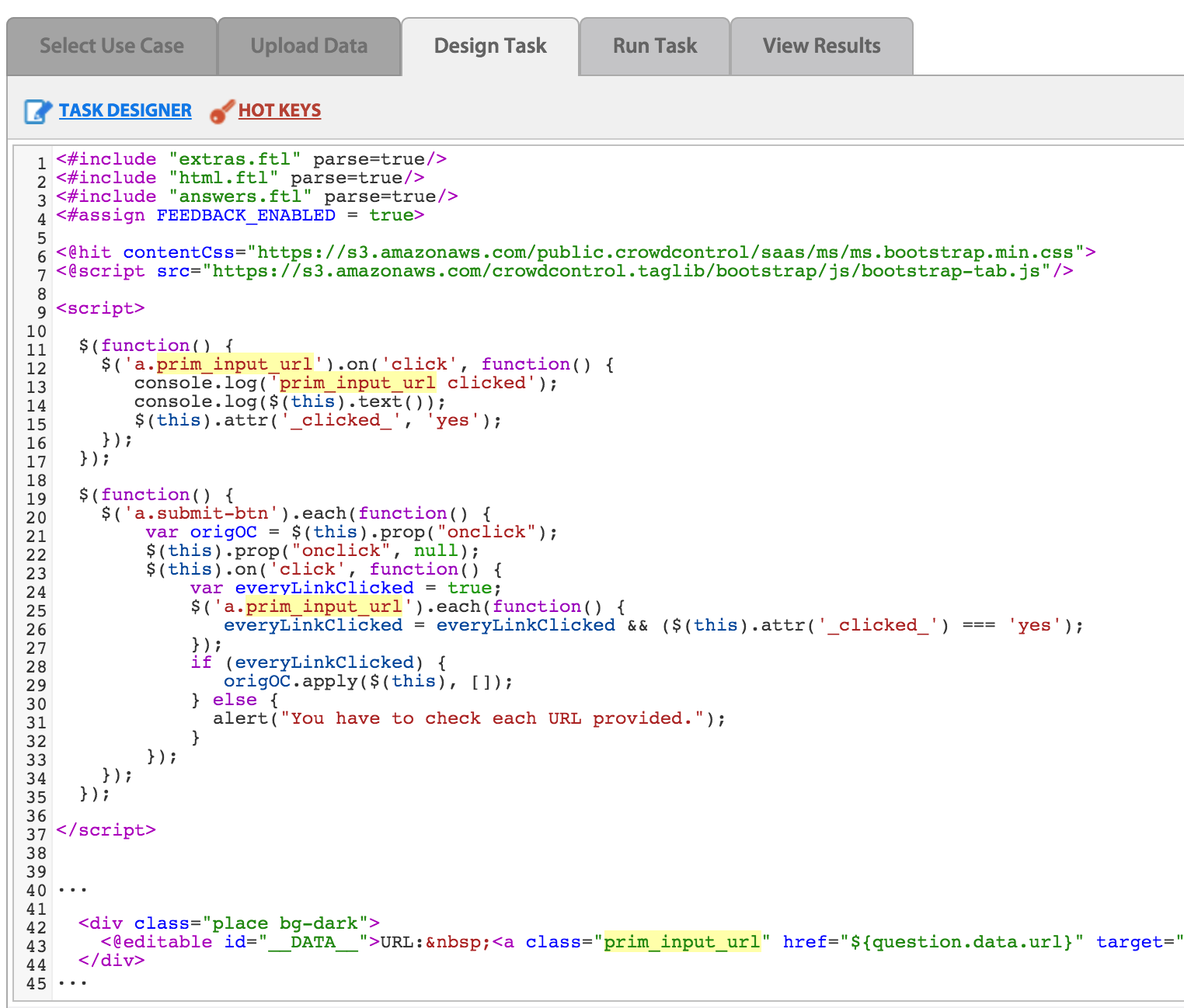
This feature can be done in the Design Task > Code Editor by adding an HTML attribute and a JavaScript function:
Locate link you would like to monitor in a Task Code and put a class inside it (for example, prim_input_url) The whole link tag will have the following code:
<a class="prim_input_url" href="${question.data.url}">link text</a>Put this JavaScript piece after the @hit macro (after <@hit …. line):
 <script>

  $(function() {
    $('a.prim_input_url').on('click', function() {
       $(this).attr('_clicked_', 'yes');
    });
  });

  $(function() {
    $('a.submit-btn').each(function() {
        var origOC = $(this).prop("onclick");
        $(this).prop("onclick", null);
        $(this).on('click', function() {
            var everyLinkClicked = true;
            $('a.prim_input_url').each(function() {
               everyLinkClicked = everyLinkClicked && ($(this).attr('_clicked_') === 'yes');
            });
            if (everyLinkClicked) {
               origOC.apply($(this), []);
            } else {
              alert("You have to check each URL provided.");
            }
        });
    });
  });

</script>
Save the Task.
To check the script work in WorkFusion:
- Open the Task Preview.
- Click the External URL link at the top – the Task will be displayed with the Submit button.
- Click the Submit button – you should get the alert message "You have to check each URL provided".
- Click the required URL, the click the Submit button – this alert message should not appear.