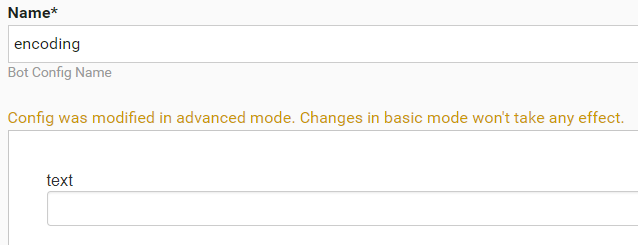
Convert Bot Config to ETL form
Bot Form (ETL) is a special Bot Config type intended for flexible re-using by defining all initial parameters (variables) through a UI form and not through direct code editing.
The feature allows business users to include Bot Configs into BPs and safely set their initial parameters and input and output data without editing the code.
The goal of this topic is to convert a simple Bot config to a user-friendly ETL form.
Sample Bot code
<?xml version="1.0" encoding="UTF-8"?>
<config>
   <var-def name ="amount">
       <#noparse>
         <template>${{{input_column_name}}}</template>
       </#noparse>
   </var-def>

   <var-def name ="output">
       <template>Pass</template>
   </var-def>
   <case>
     <#noparse>
       <if condition="${Integer.valueOf(amount.toString()) >= {{amount_limit}}}">
       <var-def name ="output">
           <template>Fail</template>
       </var-def>
       </if>
     </#noparse>
   </case>
   <export include-original-data="true">
     <single-column name="{{result_column_name}}" value="${output}"/>
   </export>
</config>
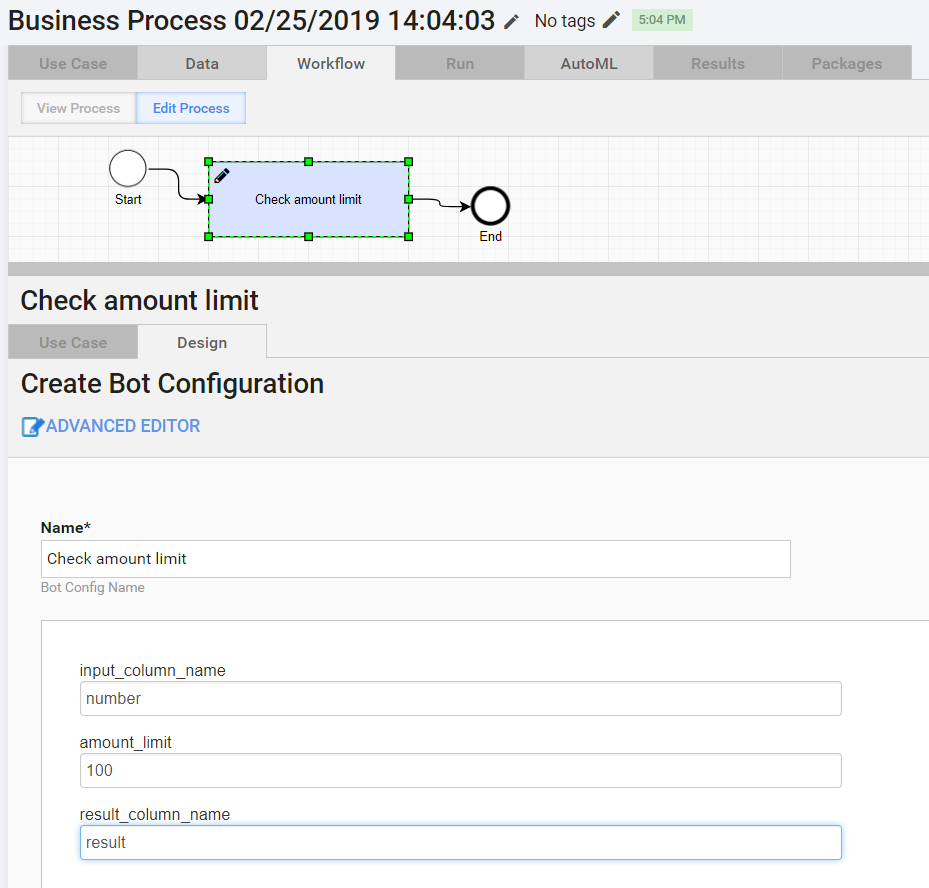
Bot Configuration has the Input column, the If statement, and the Output column.
The form can define:
- input column name—
{{input_column_name}} - limit for
condition —{{amount_limit}} - output column name—
{{result_column_name}}
In the above-mentioned case, specify the Input column that contains “number”, the value—“100”, and the output column name—“result”.
Convert Basic Bot Configuration to Form
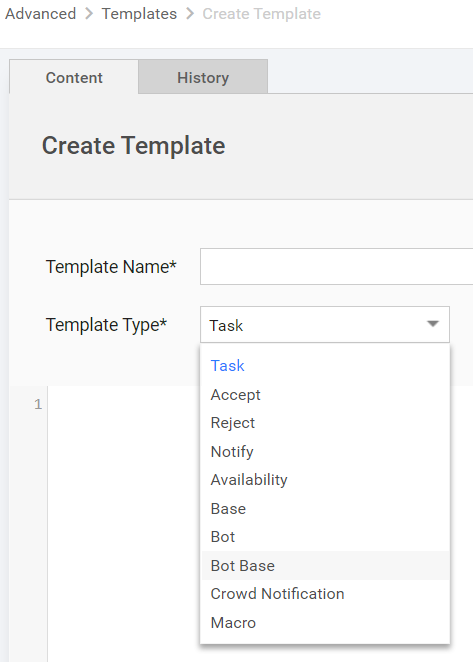
Go to Advanced > Templates and use your existing Bot configuration code to create a new template with the Bot code.
Make sure to select the Template Type = Bot Base.
-
- Go to System Settings > Use cases
- Select Template and Name.
- Specify the ETL type.
- Go to Advanced Mode > Add Answers
- Input Column Name—
input_column_name - Condition—
amount_limit - Output Column Name—
result_column_name
- Input Column Name—
- Edit code for all three to go from
${input_column_name}to:{{input_column_name}}to get the column name- or
${{{input_column_name}}}to get the value of this column, not its name
- Save the ETL config.
Use the
<#noparse>directive to fix the validation error in the<if>condition. See more information about<#noparse>here.
Add to BP
See full instructions here: Add Bot Task to BP
Form examples
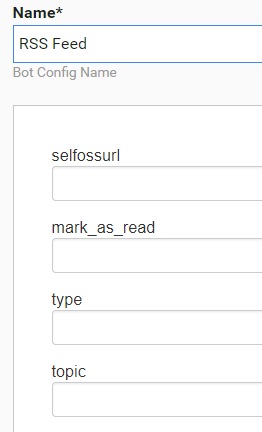
Retrieve RSS feed
Code
<?xml version="1.0" encoding="UTF-8"?>
<config>
<var-def name="selfossUrl">
<template>{{selfossurl}}</template>
</var-def>
<var-def name="mark_as_read_var">
<template>{{mark_as_read}}</template>
</var-def>
<script></script>
<while condition="true" index="idx" maxloops="40">
<var-def name="offset">
<script return="offset_result"></script>
</var-def>
<var-def name="itemsUrl">
<template>${selfossUrl}/items?items=200&offset=${offset}&
type={{type}}&topic={{topic}}&tag={{topic}}</template>
</var-def>
<var-def name="itemsJson">
<http url="${itemsUrl}" cookie-policy="browser" method="GET"/>
</var-def>
<script><![CDATA[
org.json.JSONArray jsonArr = new org.json.JSONArray(itemsJson.toString());
int jsonArrLength = jsonArr.length();
for (int i=0; i<jsonArrLength; i++) {
org.json.JSONObject jsonItem = jsonArr.getJSONObject(i);
String jsonItemContent = jsonItem.get("content");
String jsonItemSourceTitle = jsonItem.get("sourcetitle");
String jsonItemLink = jsonItem.get("link");
String jsonItemDateTime = jsonItem.get("datetime");
String jsonItemUid = jsonItem.get("uid");
String jsonTitle = jsonItem.get("title");
String itemId = jsonItem.get("id") != null ? jsonItem.get("id").toString(): "unknown" ;
Map exportItem = new HashMap();
exportItem.put("newsLink", jsonItemLink);
exportItem.put("sourceTitle", jsonItemSourceTitle);
exportItem.put("dateTime", jsonItemDateTime);
exportItem.put("feedUid", jsonItemUid);
exportItem.put("title", jsonTitle);
exportItem.put("feed_id", itemId);
uniqueMap.put(jsonItemContent, exportItem);
feedIds.add(itemId);
}
]]></script>
</while>
<var-def name="itemIds">
<script return="result"></script>
</var-def>
<case>
<if condition="${'${' + 'mark_as_read_var.toBoolean()' + '}'}">
<loop item="itemId">
<list>
<var name="itemIds"/>
</list>
<body>
<empty>
<var-def name="markResult">
<http url="${selfossUrl}/mark/${itemId}" cookie-policy="browser" method="POST"/>
</var-def>
</empty>
</body>
</loop>
</if>
</case>
<script></script>
<export include-original-data="false">
<multi-column list="${exportItems}">
<put-to-column-getter name="source" property="sourceTitle"/>
<put-to-column-getter name="feed_uid" property="feedUid"/>
<put-to-column-getter name="feed_link" property="newsLink"/>
<put-to-column-getter name="date_time" property="dateTime"/>
<put-to-column-getter name="feed_title" property="title"/>
<put-to-column-getter name="feed_id" property="feed_id"/>
</multi-column>
</export>
</config>
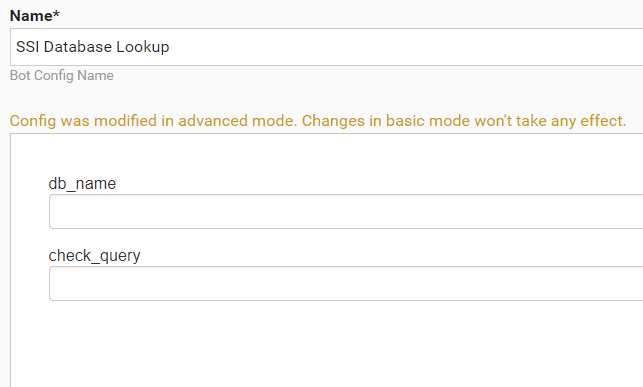
Look up SSI database
Code
<?xml version="1.0" encoding="UTF-8"?>
<config charset="UTF-8">
<var-def name="db_name">{{db_name}}</var-def>
<var-def name="custodian_bank_swift"><template>${custodian_bank_swift}</template></var-def>
<var-def name="custodian_bank_name"><template>${custodian_bank_name}</template></var-def>
<var-def name="currency"><template>${currency}</template></var-def>
<var-def name="correspondent_bic"><template>${correspondent_bic}</template></var-def>
<var-def name="ssi_exists"><template>false</template></var-def>
<var-def name="ssi_document">
<datastore name="Custodian Banks Template">
{{check_query}}
</datastore>
</var-def>
<var-def name="ssi_exists">
<script return="result"></script>
</var-def>
<var-def name="jobUUID">
<script return="uuid"></script>
</var-def>
<export include-original-data="true">
<single-column name="ssi_exists" value="${ssi_exists}"/>
<single-column name="job_uuid" value="${jobUUID}"/>
</export>
</config>
Cut chapter from PDF (split PDF)
Code
<?xml version="1.0" encoding="UTF-8"?>
<config>
<var-def name='toc_start'><template>${{{start_page}}}</template></var-def>
<var-def name='toc_end'><template>${{{end_page}}}</template></var-def>
<var-def name='document_link'><template>${{{pdf_document_link}}}</template></var-def>
<var-def name='offset'><template>${{{offset}}}</template></var-def>
<script></script>
<var-def name="cuttedDoc">
<s3 bucket='temp_bucket'>
<s3-put-public path='TR/OCR/split/${docUuid}.pdf' content-type="application/pdf" content-disposition="inline">
<script return="output.toByteArray()"/>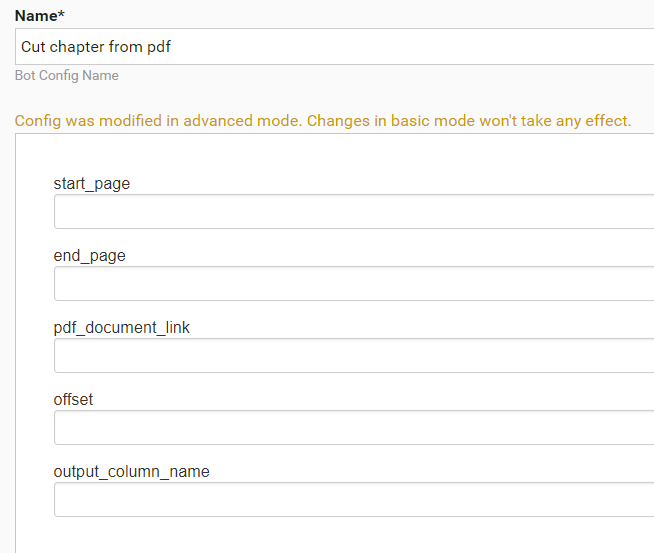
Skip escaping
Code
<?xml version="1.0" encoding="UTF-8"?>
<config charset="UTF-8">
    <var-def name="message">
        <script return="result">
            String result = org.apache.commons.lang3.StringEscapeUtils.unescapeJava("{{text}}");
        </script>
    </var-def>
    <export include-original-data="true">
        <single-column name="message" value="${message}" />
    </export>
</config>