Fetch table with XPath and parse with Groovy/WH
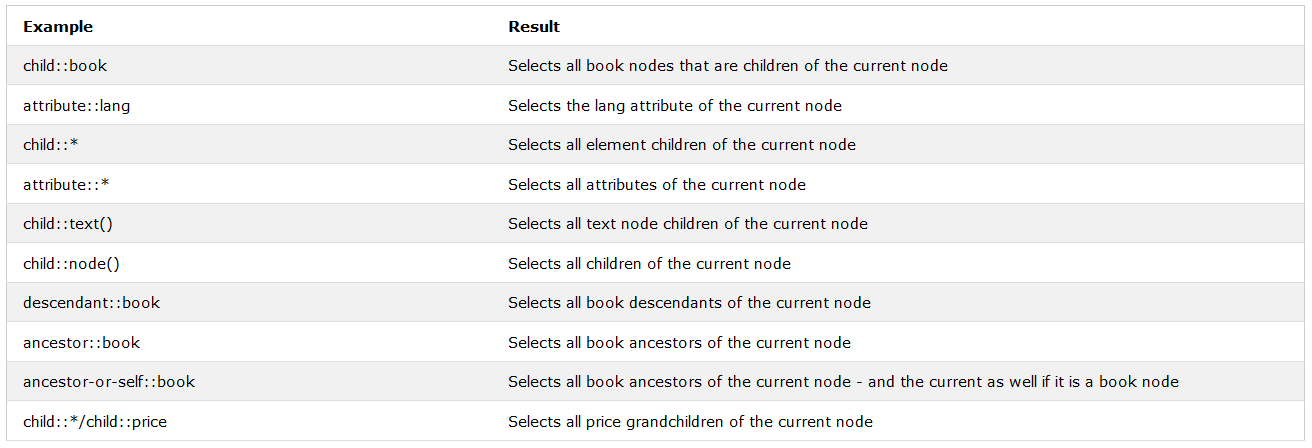
There are several ways how to parse table on a web page, for example, with different XPaths cell by cell, using cycles. Here, we demonstrate another approach, using a single XPath. Let's suppose we have the following table from website https://www.w3schools.com/xml/xpath_axes.asp .
The code can be like this.
<?xml version="1.0" encoding="UTF-8"?>
<config xmlns="http://web-harvest.sourceforge.net/schema/1.0/config" scriptlang="groovy">

<robotics-flow>
   <robot name="r2d2" driver="chrome" close-on-completion="true" start-in-private="true">    <!--Create a web driver to work with the browser-->
       <script><![CDATA[
           import groovy.json.JsonOutput;                                                   //import JsonOutput library for parse Map to Json
           driver = r2d2.getWrappedObject()                                                 //Get driver object from WorkFusion variable
                                                                                            //Each WorkFusion variable is accessible in Bot config using the getWrappedObject() method
           open('https://www.w3schools.com/xml/xpath_axes.asp')                             //Open web page in the browser
           String content = driver.getPageSource()                                          //Get HTML content from a current web page
           sys.defineVariable("content", content)                                           //Define variable with a page source in the XML space.
       ]]></script>

        <var-def name="table">                                                              <!--Create a variable for a table from website-->
            <xpath expression="//*[@id='main']/table[2]">                                 <!--Enter Xpath which returns the table from the page-->
                <html-to-xml>                                                             <!--Convert HTML to XML-->
                    <var name="content"/>                                                 <!--Calling a variable with page source-->
                </html-to-xml>
            </xpath>
        </var-def>

        <script><![CDATA[
            def list = new XmlSlurper().parseText(table.toString())                         //Parse XML code to simple Groovy object
            def headers = list.tbody.'*'.th                                                   //Get all headers from the table
                                                                                            //'*' - this construction is equal to “//*” in XPath
            List tableList = []                                                             // Create a list for saving maps with row information
            for(int i = 1; i < list.'*'.tr.size(); i++){                                      //Loop, that receives an identifier for all rows in the table, except headers
                Map row = [:]                                                               // Create a Map for saving information about row
                for(int j = 0; j < list.'*'.tr[i].td.size(); j++){                        //Loop, that receives an identifier for all columns in the row
                    row.put(headers[j].toString(),
                    list.'*'.tr[i].td[j].toString())                                      //Add a value from the current row and column to the Map
                }
                tableList.add(JsonOutput.toJson(row))                                       //Convert this Map to Json and add to the List
            }
            sys.defineVariable("output", tableList.toString())                                // Define variable with a Json list in the XML space
        ]]></script>
    </robot>
</robotics-flow>
<var-def name="file">                                                               <!--Create variable for CSV file-->
    <list-to-csv>                                                                 <!--Convert Json List to CSV table-->
         <var name="output"/>                                                       <!--Calling a variable with Json List-->
    </list-to-csv>
</var-def>
                                                                                  <!--Upload file to S3-->
<var-def name="s3_link">
     <s3 bucket="wf-vr-training">
           <s3-put path="temp.bucket/19266/products_table_output.csv">
                 <var name="file"/>
           </s3-put>
     </s3>
</var-def>

                                                                                  <!--Add a link to the CSV file in the results table-->
<export include-original-data="false">
     <single-column name="file" value="${s3_link}"></single-column>
</export>
</config>
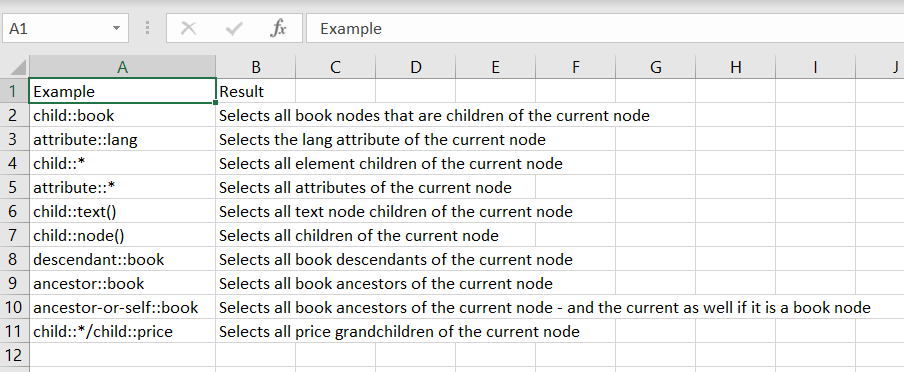
The result .csv file will look like this.