
Activity log
Control Tower provides audit functionality to track user and system actions (login sessions, creation of Tasks, editing Use Cases, and so on).
To view the history of actions, go to Configuration > Activity Log.
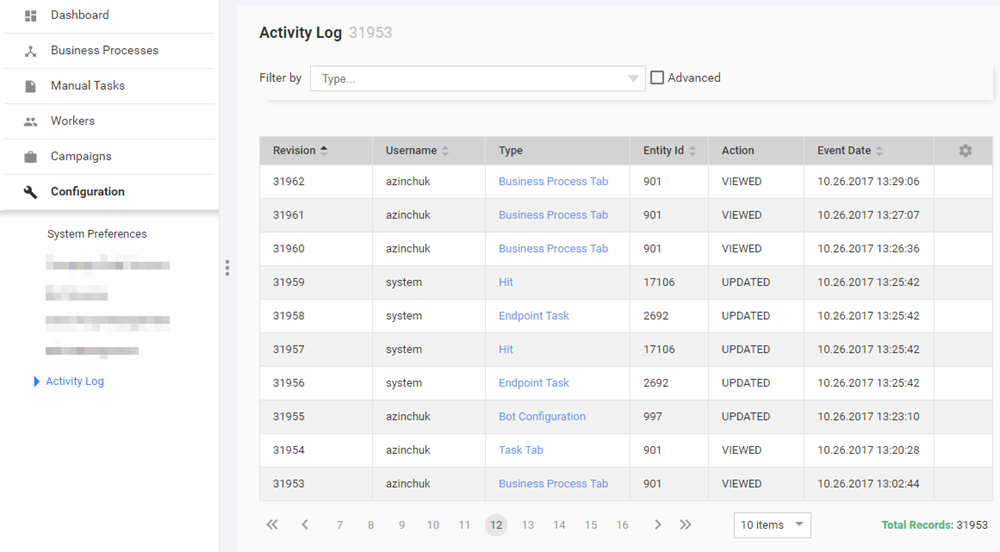
The Activity Log page displays a grid with the following information:
- Revision number.
- Username: User (or System) who performed particular operation.
- Action: Operation performed by user, for example, create, update.
- Type: Target operation object, for example, User session, License, Template, Task. This field is clickable.
- Entity ID: Unique identifier of the object.
- Creation Date: Event time.
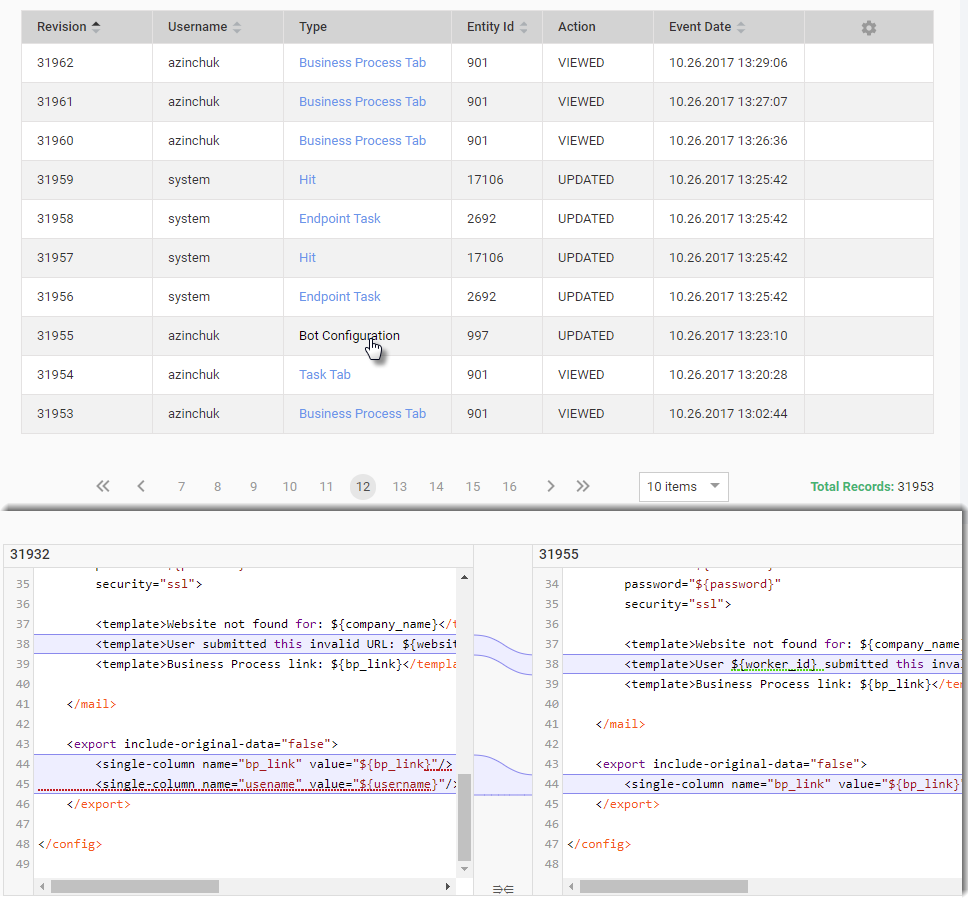
To see the changes made in files (Rules, Bot Configs, Templates, and so on), click the appropriate link in the Type column.
As a result, the file comparison dialog will be displayed under the grid.
Filters
Since there are thousands of logged records, there are two types of filters that can be applied to the list of activities to facilitate your search.
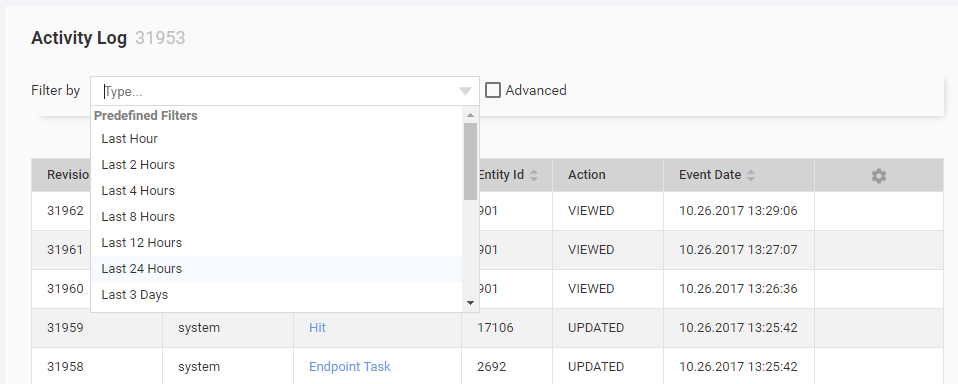
Predefined filter
A predefined filter allows to apply a time frame to the list.
Advanced filter
Using an advanced filter you can filter the records by Type, Entity ID, or Username.
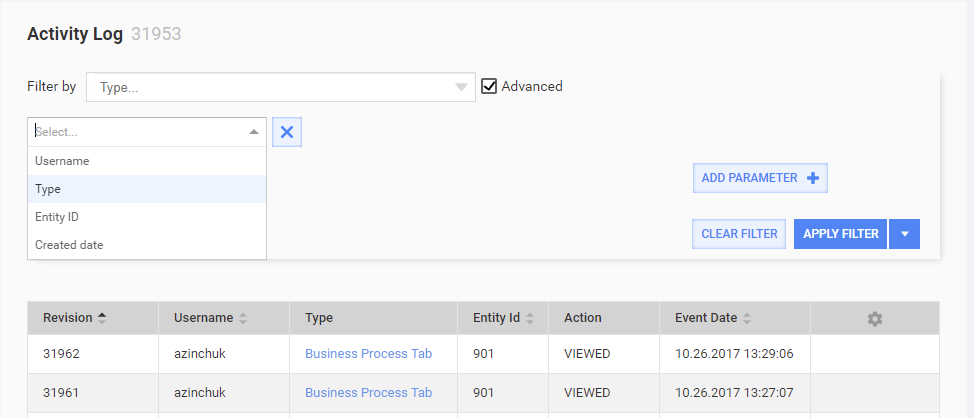
For each parameter you can specify a condition (contains or doesn't contain) for the filter criteria to include or exclude them from the result respectively.
Save filter
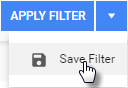
You can save the filter for future use. Click the arrows and select Save Filter in the drop-down.
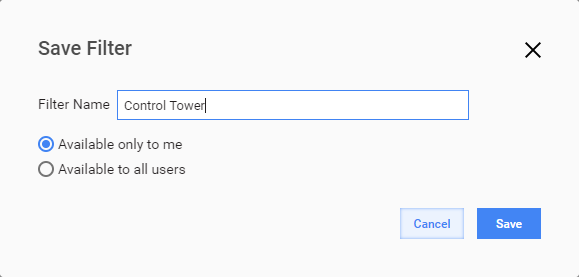
Key in the name for your filter and choose, if the filter is your private or it's available for the other users.
Clear or refine filter
If a filter is applied, the yellow box is displayed in the filter area.

You can remove or edit the filter by clicking Clear filter or Refine filter there respectively.
Database objects
All of data are stored in the AuditData table. See the column description above.
The query sample describes how to show changes for Roles and Users:
select case a.`action`
        when 0 then 'CREATED'
        when 1 then 'UPDATED'
        when 2 then 'DELETED'
        when 3 then 'DOWNLOADED'
        when 4 then 'VIEWED'
        else 'N/A'
        end as "action"
     , a.content
     , a.createdDate
     , a.entityId
     , a.username
     , a.threadName
  from AuditData as a
 where a.entityType in( 'ROLE', 'USER')
 order by a.createdDate desc
;